I saw a tutorial on this site a while ago and the basic concept of it was that they were trying to draw a car and they drew two different versions where they would draw the car from memory and then they would trace over the referenced image itself and draw the car once more after and it would look better because it was mostly about your muscle memory!
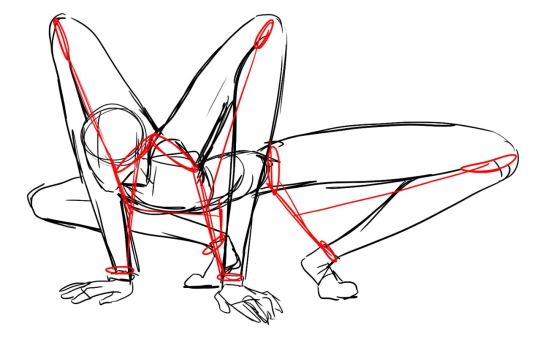
For people who don’t know how a pose works I would recommend tracing over the image to understand how the pose works first then draw their own version of it. ( you shouldn’t feel guilty about doing this because art is all about references so as long as you don’t straight up draw over the reference and claim it as your own you’re good )
For example!
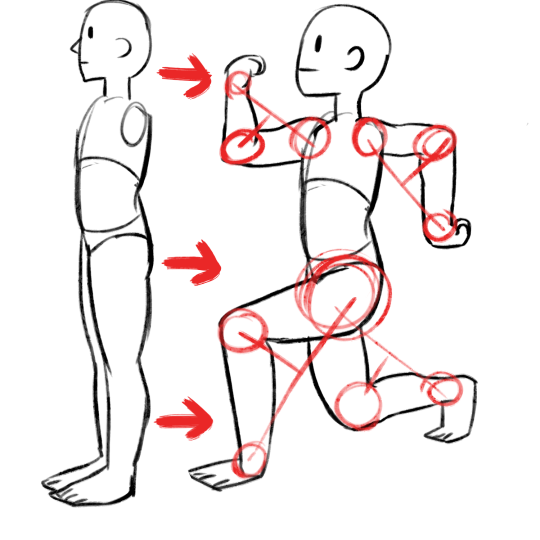
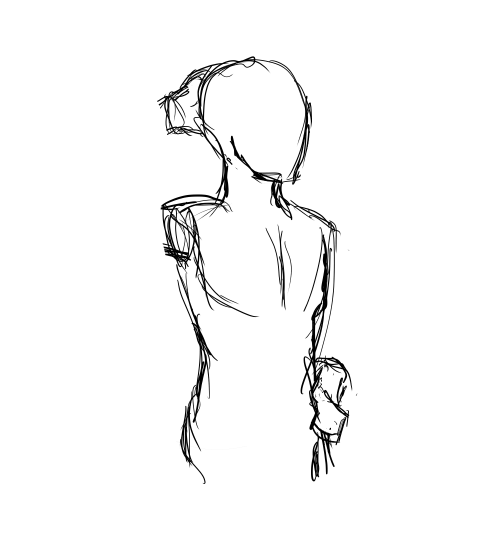
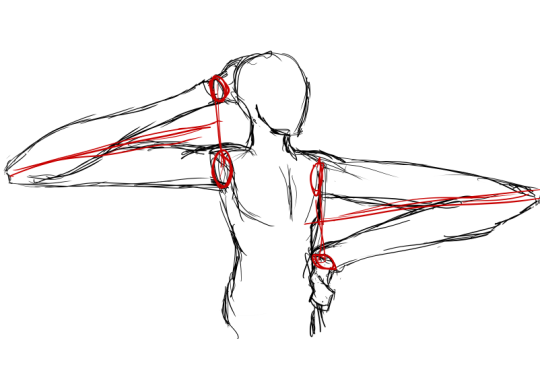
You want to draw a cool pose like this but cant exactly figure out how that shady line of action works?
Add some guides then try and draw it again!
This can also help with proportions!
Unfortunately you might have to go through what I find quite the boring process of life drawing sessions and there are a few channels on YouTube that I follow that have a lot of models and they give you a set time to draw their poses. One of those channels is CroquisCafe.
I was at a time where I would draw characters but I didn’t understand anatomy at all so every character that I drew had a very stiff pose and a face that always seemed quite off. The life drawing sessions helped me correct that I know it’s boring but they do really pay off.
And if you’re not at a level you’re happy with yet don’t stress out and don’t hurry it, it takes time to develop an eye for the things that you draw.
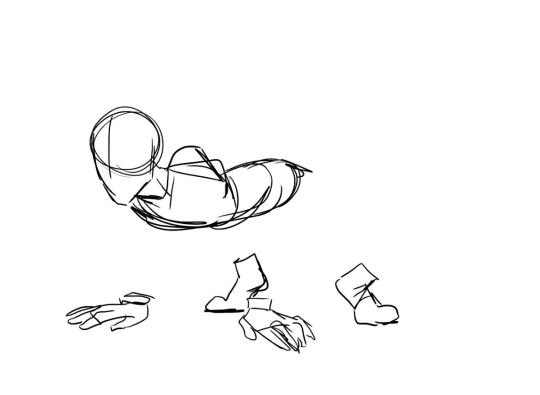
This is how I usually do it and its very messy but gets the point across, the reason why the time is so short in some cases is so you don’t have to worry about detail and draw the gesture out! The 20 minutes one are for anatomy purposes.
Also very popular tips among artists are:
Always be aware of the silhouette of your drawing you want it to be readable!
Poses like these you can already quite tell what is happening and what pose they have just by looking at their silhouettes!
And usually the poses where the hips are pointed in a different direction from the shoulders are usually more appealing. (but thats not set in stone its just a general tip)
Your sketch should be simple when you sketch don’t try to render the drawing with everything at once or you’ll loose sight of proportions!
Use shapes for when you’re blocking in a pose and then add the detail!
This is kind of the process I go through when I draw, not sure if I can call them tricks but finding these out helped me improve alot!
If you’ve ever tried to draw a perspective grid by hand, you know that it totally sucks butts. Here’s a quick and easy way that I use that lets me establish the basic perspective of my drawing in less than 30 seconds. This is the first 3 pages of the tutorial, and the rest of it is available on my Patreon!
A basic tutorial on how I do ghoul skin for anon!! I wanted to include how to do fat/veins and stuff underneath the skin, but this tut is already long enough so I just stayed with the basics!
Sorry if this is a bit messy, but I hope it helps!
So recently I came across a fellow artist who was struggling to find a free art program, and considering dropping the large amount of money for a Photoshop license. I know not everyone can afford such an expensive program, so I’ve compiled a list of programs with no cost to download and use.
Keep in mind all computers are different, so not all will work for everyone. Also, I’ve only ever used Windows, so for the most part, I’m not sure if everything will work for Mac. if in doubt check the website linked.
If you know more free programs, please add onto this!
OpenToonz has made many improvements since it’s initial release! (Windows & Mac)
Medibang Paint is a comic drawing software forked from FireAlpaca mentioned earlier in this post, and is available for mobile devices as well! (Windows, Mac, iOS, Android)
Just a quick thing I put together. This blew my fucking MIND when my anatomy teacher pointed it out. My drawings instantly got better. You might know it (good for you, I wish I knew it before too T_T) or you might not and it might help you get better.
HEY THIS IS IMPORTANT whats your favorite place to find drawing references?
so far we’ve got
senshi stock
croquis cafe
line-of-action.com
quickposes.com
posemaniacs
clip studio paint models
pexels.com
sketchdaily
eggazyoutatsu atarichan drawer
designdoll
if you have any more please reply!
Unsplash: All photos published on Unsplash can be used for free. You can use them for commercial and noncommercial purposes. You do not need to ask permission from or provide credit to the photographer or Unsplash, although it is appreciated when possible. More precisely, Unsplash grants you an irrevocable, nonexclusive copyright license to download, copy, modify, distribute, perform, and use photos from Unsplash for free, including for commercial purposes, without permission from or attributing the photographer or Unsplash. This license does not include the right to compile photos from Unsplash to replicate a similar or competing service.
Freeimages: You can use the images in digital format on websites, blog posts, social media, advertisements, film and television productions, web and mobile applications. In printed materials such as magazines, newspapers, books, brochures, flyers, product packaging for decorative use in your home, office or any public place or personal use. The rights granted to you by FreeImages.com are: Perpetual, meaning there is no expiration or end date on your rights to use the content. Non-exclusive, meaning that you do not have exclusive rights to use the content. FreeImages.com can license the same content to other customers. Unlimited, meaning you can use the content in an unlimited number of projects and in any media. For purposes of this agreement, “use” means to copy, reproduce, modify, edit, synchronize, perform, display, broadcast, publish, or otherwise make use of.
Stocksnap: Every single image on StockSnap are governed exclusively by the generous terms of the Creative Commons CC0 license. Specifically, that license means you can do any and all of the following: Download the image file.Publish, revise, copy, alter, and share that image. Use the image (as-is or as you’ve altered it), in both personal and commercial contexts. Moreover, you can put StockSnap CC0 images to any of these usages without buying the right to do it, acquiring written permission from the image’s creator, or attributing the work to the image creator. In other words, there’s no fee to download or use these StockSnap images in accordance with the CC0 license. They’re free to download, free to edit, and free to use – even in a commercial project! You don’t even need to attribute the image to the creator, the way you do with other CC or traditional copyright licensing schemes. (However, even though it’s not required, we here at StockSnap do encourage you to include an appropriate attribution. It’s a nice thing to do.)
Burst.Shopify: Burst is a free stock photo platform that is powered by Shopify. Their image library includes thousands of high-resolution, royalty-free images that were shot by their global community of photographers. You can use their pictures for just about anything — your website, blog or online store, school projects, Instagram ads, facebook posts, desktop backgrounds, client work and more. All of their photos are free for commercial use with no attribution required.
Pixabay: Images and Videos on Pixabay are released under Creative Commons CC0. To the extent possible under law, uploaders of Pixabay have waived their copyright and related or neighboring rights to these Images and Videos. You are free to adapt and use them for commercial purposes without attributing the original author or source. Although not required, a link back to Pixabay is appreciated.
Viintage: All images hosted by Viintage.com are considered to be public domain images, each image is presumed to be in the public domain. It may be distributed or copied as permitted by applicable law. Viintage.com assumes no ownership of the images and they may be downloaded and can be used free of charge for any purpose. They may be downloaded and used for commercial and personal use. Understand “public domain” as the permission to freely use an image without asking permission from the photographer or the illustrator. Thus, the creator of the work will not sue you for violating his/her copyrights. It is your responsibility to make sure, displaying the image does not violate any other law. Viintage.com assumes no responsibility for how or where you use the images found on the site.
Gratisography: You may use Gratisography pictures as you please for both personal and commercial projects. You can adapt and modify the images and get paid for work that incorporates the pictures. This includes advertising campaigns, adding your logo or text to an image, printed in any size print runs (e.g., book covers, magazines, posters, etc.), on your website, blog, or other digital mediums, and on merchandise as long as the picture itself is not the merchandise.




 Vengence is Key