Yeah sure! Sorry this is a bit messy, I hope my handwriting is readable
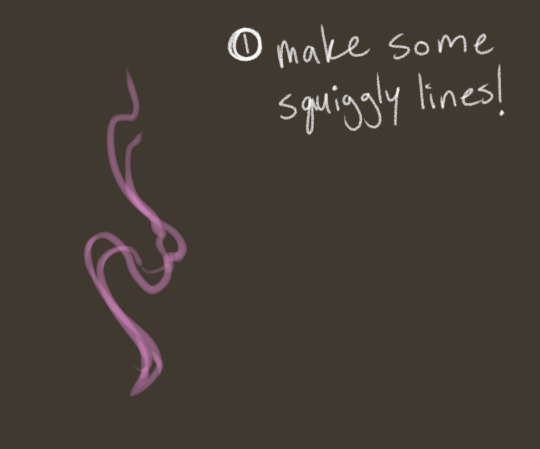
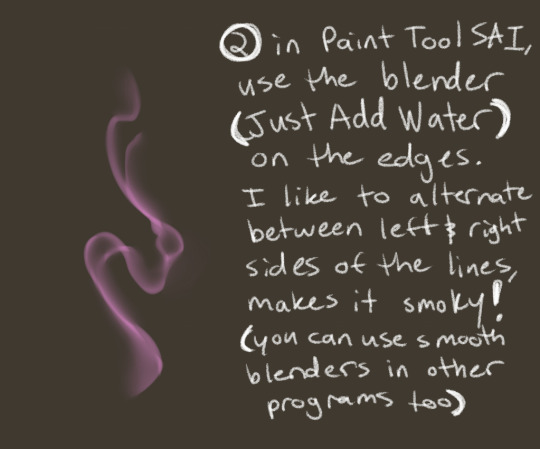
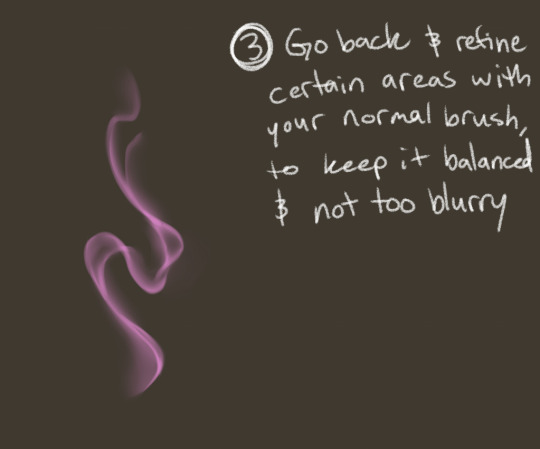
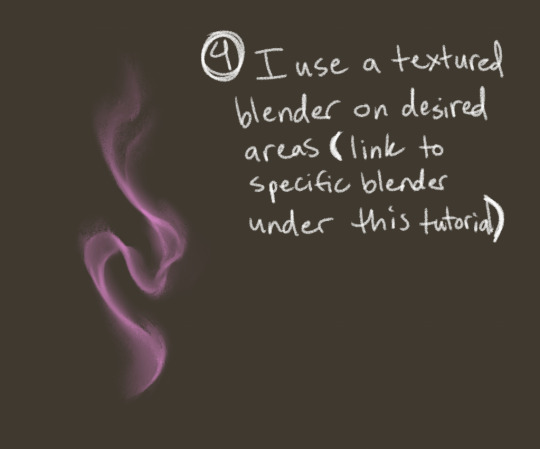
the textured blender I used is from @badbrushblog, it’s in their “Paint Pack” on their gumroad. The brush is Pigment Blend A/B (both are very similar), under “Other Brushes”.
tbh my process is still a work in progress as i try to figure out how to do it faster, but it’s basically
take my rough-ish sketch and lower the opacity to ~20%
apply a base silhouette underneath to follow
clip a shitton of layers on top of base for flat colours (each layer is a different colour/detail) so the layers look like this:
this is the part that’s the most tedious imo
then add more details using another clipping layer > multiply (at this point, I’ve basically ditched the sketch layer)
add shading, using another clipping layer > multiply!! i find this part the most fun tbh ‘cause now it’s starting to look cool lmao
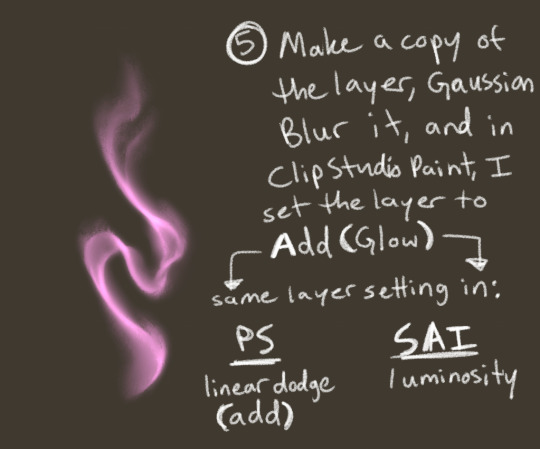
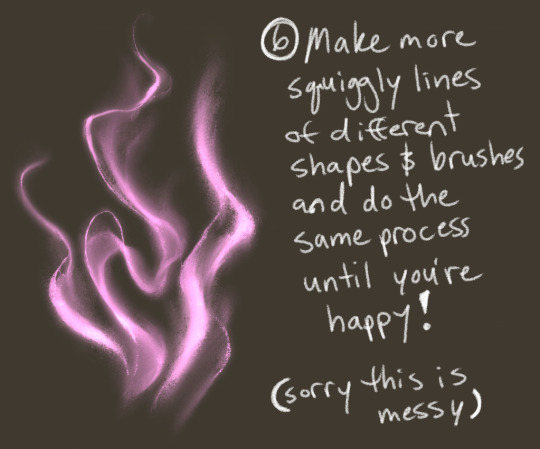
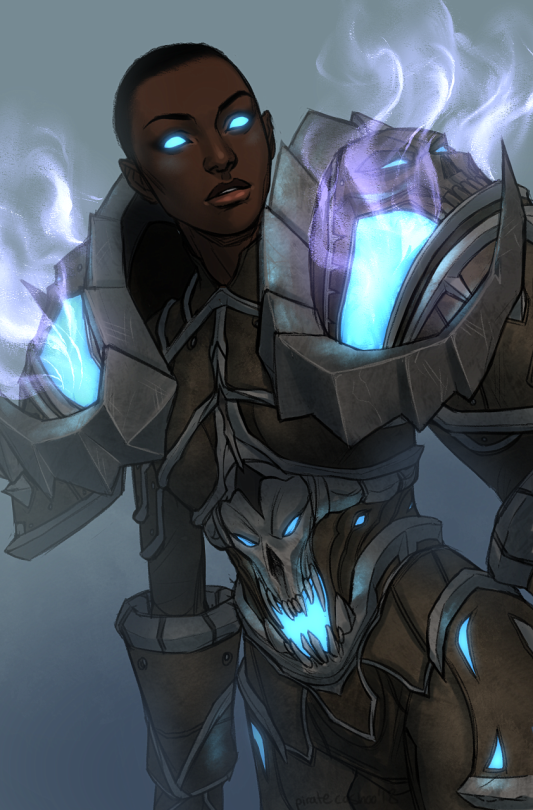
add sick-ass highlighting effects + colour correction layers as needed (my screen doesn’t produce colours correctly so i have to rely on this a lot)
and ofc disclaimer: i had to do a bunch of value studies, study colour theory, lighting and all that other good stuff!! your lineless work will rely much more heavily on your values and colour, so brush up and pratiquez!!
and this is just my process, i’m sure there are more efficient and better ways to do it, but that’s what i’d got so far (you should check out @anushbanush who has some really nice tutorials on her own lineless style!)
uhhh k this post got way more notes than i thought it would, so i’mma drop a link to the original post for that ana art over here
Two days ago I found a very interesting video on youtube about iterative drawing, it gives tips on how to improve with art faster and i think the exercises it gives are really helpful as a warmup as well! So i wanted to share some exercises i’m doing to improve with anatomy and style, hope they motivate you to practice 💪🏻💪🏻😍😃
literally most things that people write off as just ‘textures’ to use in graphics are stolen & unsourced material created by artists or photographers NOT meant to be used as elements in projects without royalty payments. you can say ‘it’s just random tumblr posts they don’t care’ but you wouldn’t want someone to take your work and edit into their work so they can be praised for their beautiful style and creativity even if they just post it on social media w/o profit, would you?? so maybe if you browse pinterest or google images for pictures without finding the original source, you’re using images that you’re not allowed to use without realizing it.
you see it on here a lot especially in (i won’t link anything but i’m sure you know what i mean) those album track ‘aesthetics’ posts, au ‘aesthetic’ posts (you see these less in kpop, but where people use non-royalty free images to kinda craft a visual au), and even just rather typical graphics that have a lot of ‘texture’ elements. and texture packs too!! that’s often where the problem starts; people just collect images (often literal art), compile them in a folder w/o sources, then insist no one can repost those images w/o crediting the person who compiled them. what???
SO may i suggest some of my fave places you can get FREE, ROYALTY-FREE elements that are totally legal to use
Texturemate is full of excellent free textures, brushes, and patterns.
Transparent Textures actually lets you combine colors and patterns to build your own texture right there in the browser.
Hey guys! I’m a sort of designer enthusiast/hobbyist and I do my fair share of freelancing, so overtime I’ve accumulated a list as well which I would love to share with you.
Freepikhas anything from textures to layered psds, icons and so much more that is actually free to use.
Unsplashis a community of photographers which provides daily content that you can use! You don’t have to credit them but you should. They’re amazing.
Icons8 is basically a library of icons and icon sets, they have a little over 60,000 icons for you to choose from.
The Pattern Library is a very generous project of Julien Renvoye, he’s basically created a library of amazing seamless patterns/textures you can use.
dealjumbo has a freebies section with textures, photos, fonts, and more, and their paid stuff is pretty affordable too
Hi there! Here are some of my tutorials that cover posing, facial and body structure, and expressions! I would definitely recommend gesture drawing or even pausing different videos of actors and actresses to help build up your library of expressions, as well as helping to train your ability to sketch clearly and quickly. Practicing drawing everyday is also essential, and even practicing drawing simple shapes over and over will help you to develop muscle (and drawing) memory to help you develop your own shortcuts for sketching. Cafe sketching and drawing from life are also great ways to practice drawing different types of facial features, body types and structures, and even natural posing. I hope these tutorials help! And keep on drawing! Don’t give up and keep moving forward 😀



 Vengence is Key